
How To
How To Build Loyalty With The Millennials


Millennials, also known as Generation Y, refers to those people born between the early 1980s and the late 1990s. Sometimes referred to as the ‘echo boomers,’ Millennial characteristics vary by region, depending on social and economic conditions. However, since they take up a majority of the target audience for almost all markets, it is crucial to have the loyalty of this customer base. That being said, they are also considered to be the most brand loyal group of customers that many generations have seen. The challenge lies in communicating the right brand values in authentic and succinct ways.
The current generation has seen a wave of technology innovations that have impacted the world. Starting from the smallest mobile phones to qwerty keypads and facial recognition technology, they have been present for a wide range of changes and developments. They are aware of the kind of products they buy and generally have an emotional connection with these brands. To connect with a generation that developed alongside technology, share your values openly. Zoom into a niche, attract millennials who connect with you on an emotional level and resonate with the brand’s values. Kentucky Fried Chicken found this emotional connect with their out of the box (literally) burger boxes that can be converted into gaming devices.


Studies have also revealed Millennials are some of the first people to come forward during crisis situations to help others. 4 out of 5 millennial customers are more likely to purchase from a company that supports a cause they care about. Supporting social causes won’t just help bring in millennial customers but will also help your companies overall image as well. Multiple brands have launched campaigns centered around a social cause through which customers can donate money by buying products. These funds can then be used to raise awareness and fund social organizations.
One most important trait of the millennial generation is that they are always social. Social Media has become a powerful tool for not just spreading information but also to start revolutions. Continue constant communication with millennials through social media channels even if it is just to ask their opinion. American fast food chain Wendy’s is the perfect example of using social media to their advantage. From giving a chicken nugget lover free supply of chicken nuggets for a year to replying to trolls, Wendy’s social media team makes sure they reply to questions, customer complaints and in general keep their followers entertained.
At the end of the day, it does not take much to gain the attention of the Generation Y. However, it is important to remember that one misstep can also lead to a great amount of backlash. Supermodel Kendal Jenner and Pepsi faced a lot of backlash for a misplaced advertisement. YouTube also faced harsh criticism for placing a wrong video on the trending list. This generation may have a very small attention span but if they do think something is wrong, they do not keep quiet.
The end goal is to keep your millennial customers happy just like every other customer. The only thing that may change is how you do it.








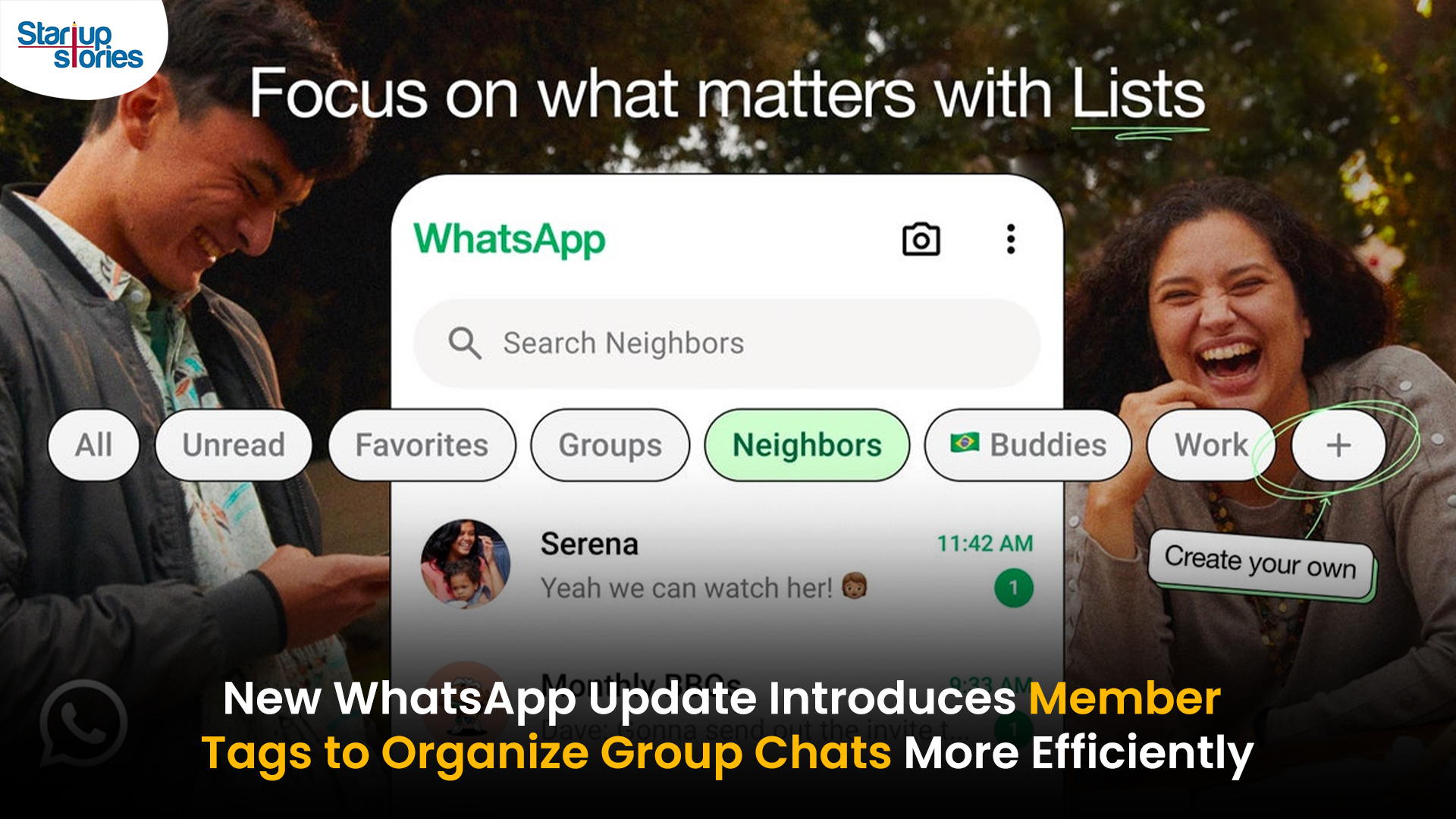
WhatsApp has rolled out a new “Member Tags” feature designed to make group management simpler and more organized. The update allows users to add short text labels next to their names in group chats such as Admin, Manager, Designer, or Coordinator helping others instantly identify roles and responsibilities. This feature is especially useful for large communities, workplaces, and project-based groups where multiple participants collaborate regularly.
With WhatsApp Member Tags, group members can customize labels that appear beside their names and within the participants list, providing better clarity during group conversations. The introduction of tags aims to cut down confusion in busy chats, making it easier to know who handles what. The feature is already rolling out for iOS users and is expected to reach Android devices soon as part of WhatsApp’s gradual global rollout. Users can add tags by simply going to the group info section, tapping their own name, and selecting “Add Member Tag.”
This update also benefits brands, creators, and businesses that rely on WhatsApp for communication and engagement. From marking support staff with titles like “Customer Support” or “Sales” to identifying moderators and event organizers in community groups, the feature brings a layer of professionalism to WhatsApp’s familiar interface. By enhancing group communication dynamics, the Member Tags feature strengthens WhatsApp’s position as one of the most efficient and business-friendly messaging platforms available today.
Google has introduced a new AI-powered feature for its Files by Google app, allowing users to easily interact with PDF documents. The “Ask about this PDF” feature, powered by Gemini, enables users to ask questions about the document’s content directly within the app.
How it Works
Access
The feature is available in the updated Files by Google app (version 16.0.5 and above). Users can download the latest version from the Google Play Store to access this functionality.
Functionality
Users can simply tap the “Ask about this PDF” button while viewing a document. This prompts the app to allow users to ask questions regarding the PDF content, such as:
- Summaries of sections
- Clarifications on specific paragraphs
- Details about tables and charts
AI Interaction
The app leverages the power of Gemini AI to provide accurate and informative answers based on the content of the PDF. This interaction enhances user engagement by making it easier to extract relevant information without manually scrolling through lengthy documents.
User-Friendly Experience
AI-generated responses are displayed as an overlay, enabling users to view both the original PDF and the AI-generated answers simultaneously. This feature streamlines the process of obtaining information from PDFs, making it particularly useful for students and professionals who frequently work with such documents.
Availability
Gemini Advanced Required
The “Ask about this PDF” feature is currently exclusive to users of Gemini Advanced, a subscription service that provides enhanced capabilities of Google’s AI tools.
Limited to Files by Google
At present, this feature is available only within the Files by Google app. However, there are expectations that similar functionalities may be integrated into other Google applications in the future, such as Google Drive.
Future Outlook
This new feature demonstrates Google’s commitment to integrating AI seamlessly into its products and services. By enhancing the user experience with innovative tools like “Ask about this PDF,” Google aims to improve productivity and accessibility for its users.
Expansion Plans
Given the positive reception of this feature, it is likely that Google will explore expanding Gemini’s capabilities across other platforms and applications, potentially offering similar functionalities for various document types and formats.
Conclusion
Google’s introduction of the “Ask about this PDF” feature in its Files by Google app marks a significant advancement in how users interact with digital documents. By leveraging Gemini AI, Google is not only enhancing productivity but also making information retrieval more efficient and user-friendly. As AI continues to evolve, features like these are expected to play a crucial role in transforming digital workflows across various sectors.
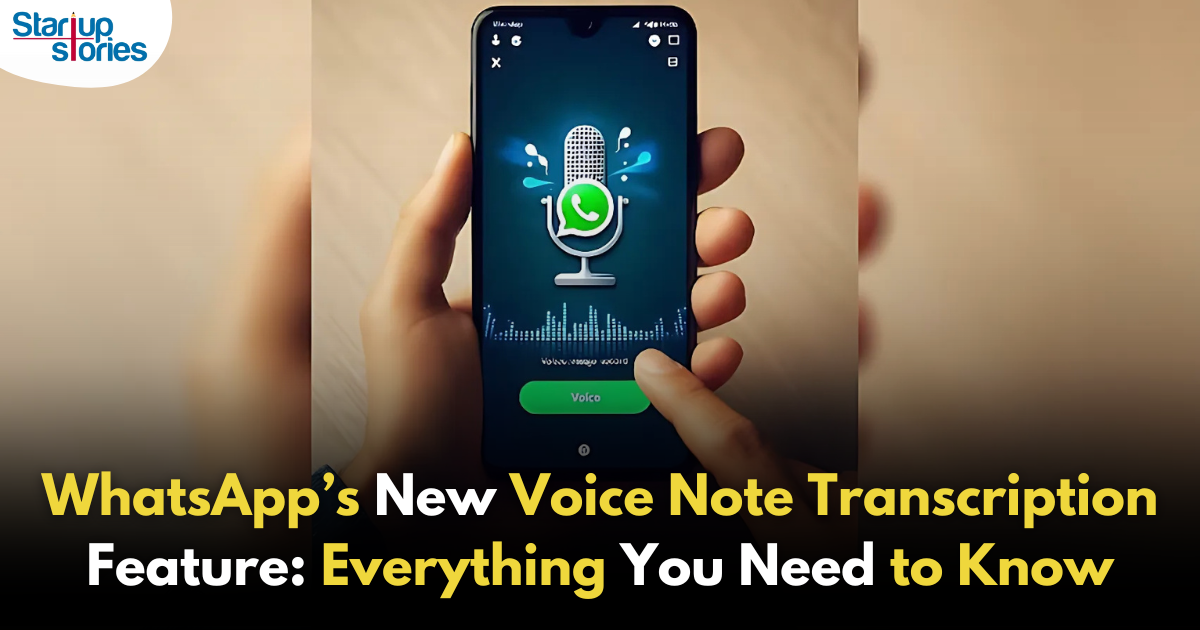
WhatsApp is revolutionizing how users handle voice messages with the introduction of its new Voice Note Transcription feature. Designed to cater to diverse user needs, this update ensures that you never miss out on voice messages, even in situations where listening isn’t an option—be it a noisy environment, an important meeting, or simply when audio isn’t convenient.
What Is Voice Note Transcription?
The Voice Note Transcription feature converts voice messages into text, allowing users to read the content instead of listening. This thoughtful solution addresses scenarios where audio playback may not be practical. With this addition, WhatsApp enhances communication efficiency, helping users stay connected regardless of their circumstances.
How Does It Work?
Using the transcription feature is straightforward:
- Enable the Feature: Navigate to Settings > Chats > Voice Message Transcripts to enable or disable the feature and select your preferred transcription language.
- Transcribing a Voice Note: Once activated, long-press the voice message you’ve received and tap ‘Transcribe’. The app will instantly generate a text version of the audio message for you to read at your convenience.
This process is handled entirely on your device, ensuring that the voice messages remain private. Neither WhatsApp nor external servers have access to the content, maintaining the platform’s commitment to privacy.
Privacy and Security
In line with WhatsApp’s dedication to user security, the transcription process is executed locally on the device. This ensures that your voice messages are never sent to external servers, and even WhatsApp itself cannot access them. By integrating this feature while preserving its robust end-to-end encryption, WhatsApp continues to prioritize user trust.
Key Privacy Features
- Local Processing: Transcripts are generated entirely on-device, ensuring that no one else—not even WhatsApp—can access your personal messages.
- End-to-End Encryption: The feature maintains WhatsApp’s strong privacy standards, ensuring that only the sender and recipient can access their voice messages.
Global Rollout and Language Support
The Voice Note Transcription feature is rolling out globally over the coming weeks. Initially, it supports selected languages such as English, Spanish, Portuguese, Russian, and Hindi. WhatsApp has confirmed plans to expand its language offerings soon, ensuring wider accessibility for users worldwide.
Why This Feature is a Game-Changer
This new addition addresses a common pain point for WhatsApp users: handling voice messages when audio playback isn’t feasible. Whether you’re in a crowded space, attending a quiet event, or dealing with a lengthy voice note, the transcription feature provides a convenient alternative.
Benefits of Voice Note Transcription
- Multitasking Convenience: Users can skim through voice messages while juggling other responsibilities without needing headphones.
- Accessibility Improvement: The feature enhances accessibility for individuals with hearing impairments or those who prefer text-based communication over audio.
- Enhanced Communication: Merging the personal touch of voice communication with the convenience of text allows for more flexible interactions.
Conclusion
By introducing the Voice Note Transcription feature, WhatsApp continues to innovate and enhance its platform. This tool exemplifies how technology can adapt to diverse user needs while maintaining security and privacy. Keep an eye on your app settings—this feature is rolling out soon and is set to make staying connected easier than ever. As WhatsApp expands its capabilities, users can look forward to a more personalized and efficient messaging experience that caters to their evolving communication preferences.

Common Governance Challenges Faced by Nonprofit Organizations in India

How Lenskart Made Indians Comfortable Buying Glasses Online


